

Netflix from anywhere. On any network.
Pick a location and Netflix shows that country’s library, at full speed, on your own account. VPNBaron’s connection looks like an ordinary visit to a website, so it gets through hotel, school and office networks that block VPNs.
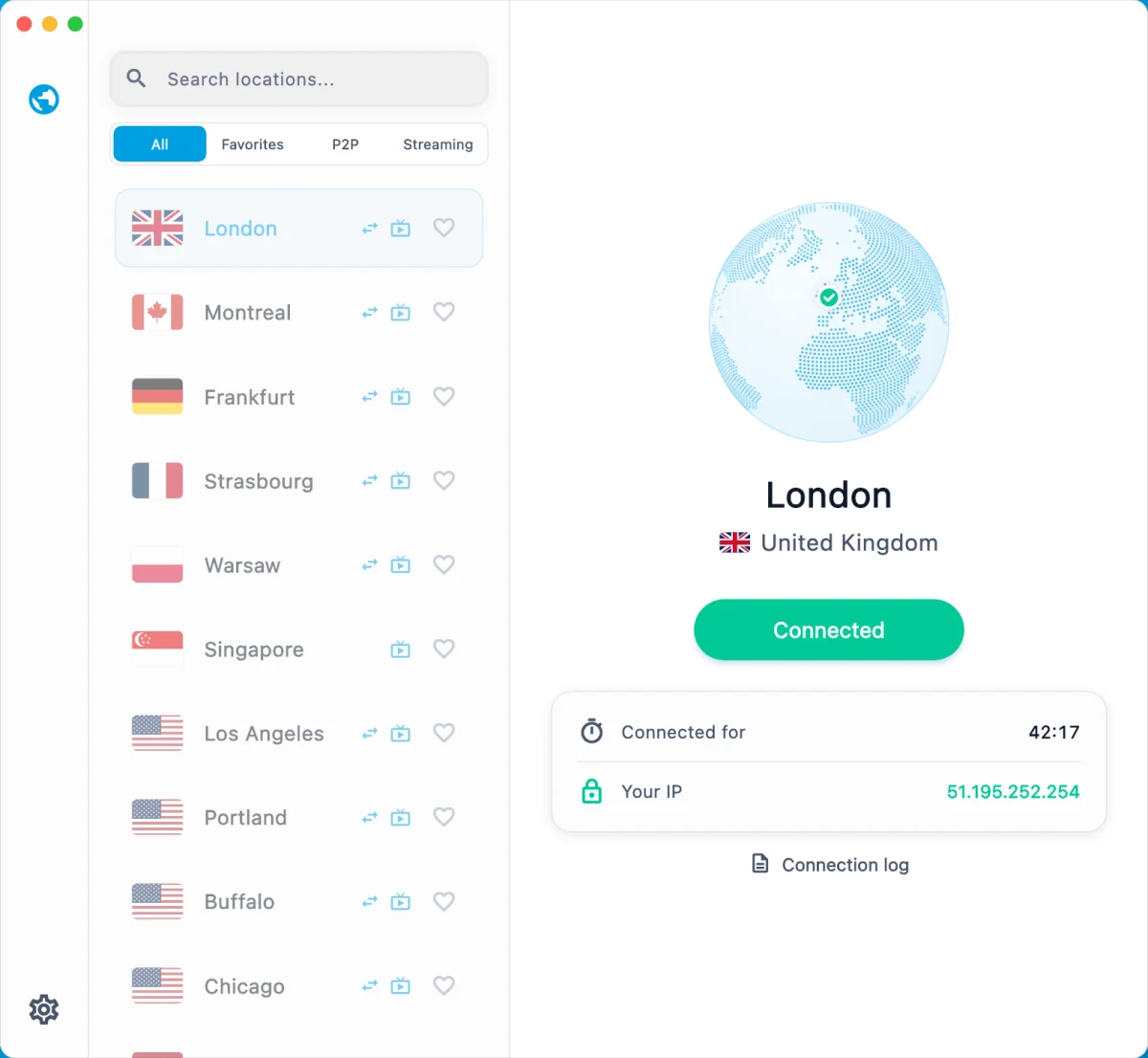
Open the apps you already pay for
Why most VPNs stop working on strict networks
Hotel, school and office networks, and some countries, do not just block websites. They recognise what standard VPN connections look like, so a VPN that works at home can crawl or stop connecting the moment you join their Wi-Fi.
VPNBaron takes a different approach. Its stealth connections run on port 443 and look exactly like an ordinary encrypted visit to a website, the kind of traffic every bank, shop and app depends on. There is nothing VPN-shaped to spot.
And when a network tightens, you do not have to fiddle with settings: the app’s Pathfinder tests the available routes and moves you to the one that works.
Pick your Netflix library
Connect through a location, sign in with your own account, and Netflix shows that country’s library. Every location works with streaming.
Los Angeles
US library
West Coast, fast from Asia
Portland
US library
Another US exit
Montreal
Canadian library
Canadian catalog
São Paulo
Brazilian library
South America
London
UK library
British shows and films
Frankfurt
German & EU library
Central Europe
Amsterdam
Dutch & EU library
Another European exit
Hong Kong
Hong Kong library
Fast across Asia
Tokyo
Japanese library
Anime and Japanese dramas
Seoul
Korean library
K-dramas
Singapore
Singapore library
Low latency across Asia
Sydney
Australian library
Aussie catalog
Streaming services change how they treat VPNs from time to time. If a title does not play on one location, switch to another: every plan includes them all. Streaming setup guide
Every way we get you online
Stealth protocols, classic VPN protocols, apps for every device and locations around the world, all on one plan. When one route is blocked, another gets through.
Protocols
- VLESS Reality
Looks like a visit to a real website. Our most reliable way through strict networks.
- Hysteria2
Keeps its speed on weak, crowded networks like hotel Wi-Fi.
- Trojan
For Clash apps. Our legacy protocol, and it still gets through on many networks.
- OpenVPN and IKEv2
The classic VPNs, built into most devices. Fast at home and on open networks.
- WireGuard
The fastest classic VPN: built into the Mac app, coming to our other apps in their next update, and on routers and the official WireGuard apps. Easy for networks to block, so keep stealth for strict ones.
Apps
- VPNBaron appWindows, Mac, iPhone, Android
- V2BoxiPhone, iPad, Mac, Android
- HiddifyWindows, Mac, Android, Linux
- ShadowrocketiPhone, iPad
- Clash appsWindows, Mac, Android
- Built-in VPN settingsIKEv2 on any device
- WireGuard appsAny device, and routers
Step-by-step setup for each device is below.
Backups when it gets tough
- Pathfinder in the desktop app switches protocol by itself when one is slowed down.
- Your stealth link works in V2Box, Hiddify or Shadowrocket if an app store or our website is out of reach.
- If the normal sign-in is blocked, the desktop app signs you in with a one-time email code.
- Locations across the Americas, Europe, Asia and Australia: when one is slow, pick another.
- Different networks block differently: switch between Wi-Fi and mobile data.
Set up in two minutes, on any device
Pick your device. Every option uses the same VPNBaron account and works on every location.
The VPNBaron app does it all. Hiddify with your stealth link is the backup for the strictest networks.
VPNBaron app
Recommended- 1Download the app and install it.
- 2Sign in with your VPNBaron account.
- 3Click Connect. Pathfinder finds the route that works on the network you are on.
- 4Pick a location for the library you want, then open Netflix.
Hiddify with your stealth link
Backup- 1Install Hiddify for Windows.
- 2In your VPNBaron account, open Hysteria2 · VLESS and copy your personal stealth link.
- 3In Hiddify, add a new profile and paste the link.
- 4Pick a server marked (Reality) and connect.
The VPNBaron app, or V2Box with your stealth link when a network is fighting back.
VPNBaron app
Recommended- 1Download the app and install it.
- 2Sign in and click Connect. Pathfinder picks the route that works.
- 3Pick a location for the library you want, then open Netflix.
V2Box with your stealth link
Backup- 1Install V2Box from the Mac App Store.
- 2In your VPNBaron account, open Hysteria2 · VLESS and copy your personal stealth link.
- 3In V2Box, add a subscription and paste the link.
- 4Pick a server marked (Reality) and connect.
The VPNBaron app from the App Store. V2Box or Shadowrocket with your stealth link are the backup.
VPNBaron app
Recommended- 1Install VPNBaron from the App Store.
- 2Sign in and tap Connect.
- 3Pick a location, then open the Netflix app.
V2Box or Shadowrocket
Backup- 1Install V2Box (free) or Shadowrocket.
- 2Add your personal stealth link as a subscription.
- 3Pick a (Reality) server and connect.
The VPNBaron app from Google Play. Hiddify or v2rayNG with your stealth link are the backup.
VPNBaron app
Recommended- 1Install VPNBaron from Google Play.
- 2Sign in and tap Connect.
- 3Pick a location, then open the Netflix app.
Hiddify or v2rayNG
Backup- 1Install Hiddify or v2rayNG.
- 2Import your personal stealth link as a profile.
- 3Pick a (Reality) server and connect.
What you get
Your libraries, anywhere
Pick a location and Netflix and your other streaming apps show that country’s library, on your own account.
The app picks the route
Pathfinder tests the routes on the network you are on and connects with the one that works.
Fast on hotel Wi-Fi
One of our stealth connections keeps its speed on crowded, lossy networks, so video keeps playing.
Nobody sees what you do
Not the sites, not the DNS, not that it is a VPN. We keep no browsing logs either.
One plan. Every location, Netflix included.
Unlimited data, every protocol, 5 devices, 7-day money-back.
7-day money-back guarantee on every plan · after the first payment you pay the standard price above
Questions
Does Netflix work with VPNBaron?
Yes. Connect to a location, sign in with your own Netflix account, and Netflix shows that country’s library. Every VPNBaron location works with streaming. Streaming services change how they treat VPNs from time to time, so if a title does not play on one location, switch to another: every plan includes them all.
Which location should I pick?
For the US library, a US location. For the UK library, a UK one; for other European libraries, one in Europe. Locations in Asia carry their own libraries and are the fastest across Asia. You can switch any time, and the app always shows the current list.
Will it work on hotel, school or office Wi-Fi?
That is what it is built for. VPNBaron’s stealth connections run on port 443 and look like an ordinary visit to a website, so they get through networks that block normal VPNs, even in countries that restrict them. If one route is slowed down, the desktop app’s Pathfinder switches to another, and you still have VLESS Reality, Hysteria2, Trojan, OpenVPN and IKEv2 to fall back on.
Which devices can I use?
Windows, Mac, iPhone, iPad and Android with the VPNBaron app, plus V2Box, Hiddify, Shadowrocket, v2rayNG and Clash apps with your personal links. One account covers up to 5 devices at once.
Is there a data limit?
No. Every plan has unlimited data, so you can stream as much as you like.
What if it is not for me?
Every plan has a 7-day money-back guarantee, and you can cancel any time.