

Why it's fast
Trojan adds almost nothing on top of TLS: no extra encryption layers and no heavy handshake. On a good network it runs close to your line speed, and it holds up well for streaming and downloads.
A Trojan VPN is a VPN connection built on the Trojan protocol: your traffic travels inside an ordinary TLS connection, the same encryption every HTTPS website uses, so to the network it looks like someone browsing the web. It’s simple, fast, and supported by every Clash app, which is why so many people still run it.
VPNBaron runs Trojan servers across North America, Europe, Asia and Australia, included in every plan. This page explains how Trojan works, where it shines, where it doesn’t, and how to set it up on Windows in a few minutes.
Trojan is an open-source proxy protocol. Its idea is to hide in plain sight: instead of inventing a new kind of traffic that a firewall could learn to spot, it uses the most common traffic on the internet, a TLS connection to a web server, and carries your data inside it.
The name comes from the Trojan horse, not from malware. Trojan VPN is not a virus: the apps and servers are ordinary networking software, and “trojan” here only describes the disguise.
In practice, apps like Clash, Hiddify and V2Box use Trojan to send all of your device’s traffic, or just your browser’s, through the server. So it does the same job as a classic VPN, with a different wrapper.
Everything between your device and the server is encrypted with TLS, the same technology that protects online banking.
Why it's fast
Trojan adds almost nothing on top of TLS: no extra encryption layers and no heavy handshake. On a good network it runs close to your line speed, and it holds up well for streaming and downloads.
| Trojan | VLESS Reality | Hysteria2 | OpenVPN | |
|---|---|---|---|---|
| What a firewall sees | A TLS connection to the server’s own domain | A visit to a real, well-known website | HTTP/3 web traffic (QUIC) | Recognisable VPN traffic |
| Runs over | TCP (port 8443 at VPNBaron) | TCP 443 | UDP 443 | UDP or TCP |
| Built for networks that block VPNs | No, it can be recognised | Yes | Yes, unless UDP is blocked | No |
| Speed on a lossy network | Slows down (TCP) | Slows down (TCP) | Stays fast | Slows down |
| Classic Clash apps | Yes | No | No | No |
| At VPNBaron | Legacy option for Clash apps | Stealth, in the app and subscription | Stealth, in the app and subscription | Classic VPN |
The full story of why stealth moved on from Trojan, from a provider that ran it for years: Trojan vs VLESS Reality.
Trojan is a good fit when:
Pick something else when:
Every VPNBaron plan includes every Trojan location. They’re the same locations as our other protocols, so you can switch protocols without switching countries.
| Region | City | Country |
|---|---|---|
| North America | Los Angeles | United States |
| North America | Portland | United States |
| North America | Chicago | United States |
| North America | Buffalo | United States |
| North America | Montreal | Canada |
| South America | Sao Paulo | Brazil |
| Europe | London | United Kingdom |
| Europe | Amsterdam | Netherlands |
| Europe | Frankfurt | Germany |
| Europe | Strasbourg | France |
| Europe | Oslo | Norway |
| Europe | Warsaw | Poland |
| Asia | Hong Kong | Hong Kong |
| Asia | Tokyo | Japan |
| Asia | Seoul | South Korea |
| Asia | Singapore | Singapore |
| Oceania | Sydney | Australia |
Server addresses and your password are in your account, on the Trojan page, and inside your Clash profile, so you never type them by hand. We don’t publish the addresses here: public server lists are the first thing blockers collect.
Which location should you pick? The closest one is usually fastest. For US content, pick a US city; for the lowest latency across Asia, Hong Kong, Tokyo, Seoul or Singapore.
| Platform | Apps | Our guide |
|---|---|---|
| Windows | Clash for Windows, Clash Verge Rev, Hiddify, v2rayN | This page |
| macOS | ClashX, Clash Verge Rev | Trojan on macOS |
| Android | Hiddify, Clash Meta, v2rayNG, NekoBox | v2rayNG |
| iPhone and iPad | V2Box, Shadowrocket | V2Box |
| Linux | Clash Verge Rev, Hiddify | Hiddify |
Clash apps take the Clash link from your account. Hiddify and V2Box can also use your Stealth subscription, which lists Trojan entries, marked (Trojan), next to VLESS Reality and Hysteria2 for every location. It’s the easiest way to have both in one app.
If your app asks for the settings one by one, use these. The server address and password are on the Trojan page of your account.
| Setting | Value |
|---|---|
| Protocol | Trojan |
| Server address | The server name shown for your location |
| Port | 8443 |
| Password | Shown on the Trojan page of your account |
| SNI / server name | Same as the server address |
| TLS | On |
| Allow insecure / skip certificate check | Off |
| Network | TCP |
Install a Clash app
Download Clash for Windows from our server, install it and open it. Clash for Windows is no longer developed; if you’d rather use an app that’s still maintained, Clash Verge Rev works the same way.
Get your Clash link
Log in at vpnbaron.com and open Trojan (legacy).
Add the profile
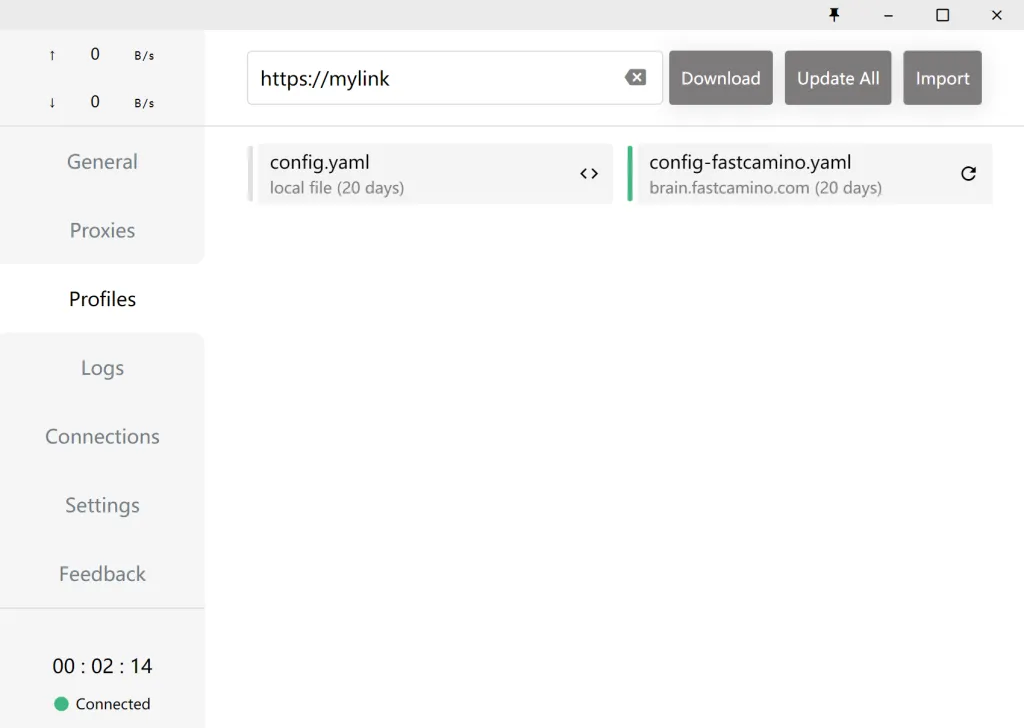
Click Open in Clash to add the profile in one step. If that does nothing, click Copy link, then in Clash go to Profiles, paste the link into the box at the top and click Download.
Pick a location and connect
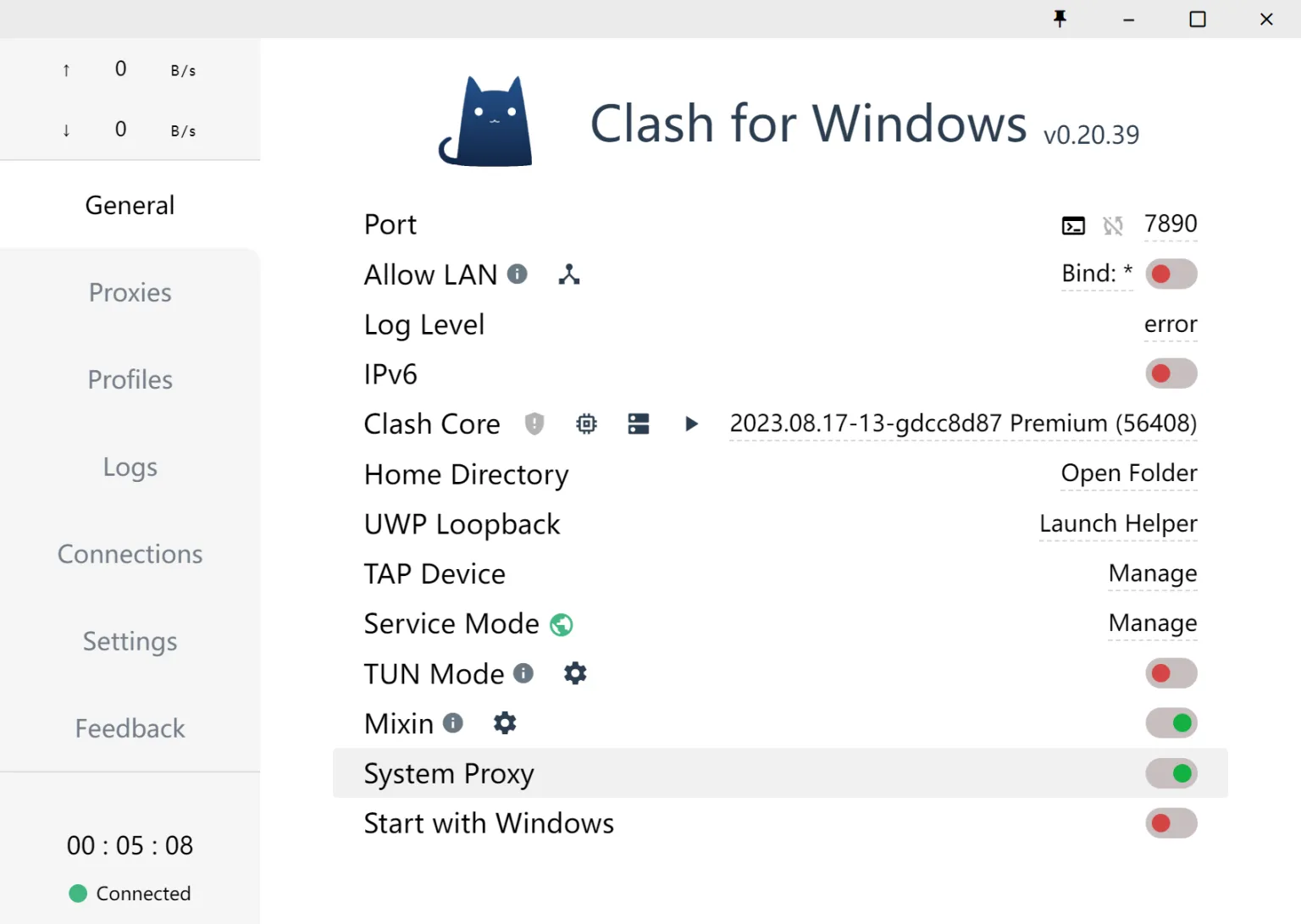
Check the connection
Open a website that shows your IP address. It should show the location you picked.
Want every app on the PC to use the connection, not just those that follow the Windows proxy settings? Turn on TUN Mode in Clash Verge Rev, or use the VPNBaron app.
What is a Trojan VPN? A VPN connection built on the Trojan protocol, which carries your traffic inside an ordinary TLS connection so it looks like normal web browsing.
Is Trojan VPN a virus? No. Trojan is a proxy protocol named after the Trojan horse, because it hides traffic inside HTTPS. It has nothing to do with trojan malware.
Is the Trojan protocol safe? Yes. Traffic between your device and the server is encrypted with TLS, and only apps holding your password can use the server. Its weakness is detectability on networks that hunt VPNs, not security.
Trojan or VLESS Reality? On networks that block VPNs, VLESS Reality. On normal networks both work, and Trojan is the one classic Clash apps support. Details: Trojan vs VLESS Reality.
Does Trojan work on UDP? Trojan itself runs over TCP. Most Trojan apps can still pass UDP traffic through it, but for UDP-heavy use like gaming and calls on a lossy network, Hysteria2 is the better choice.
Can I use Trojan on my phone? Yes. On Android use Hiddify, which also opens Clash links; on iPhone and iPad use V2Box with your Stealth subscription. See which apps support Trojan.
Are there free Trojan servers? Free public Trojan servers exist, but they’re shared, slow, run by strangers who can see where your traffic goes, and usually blocked within days. VPNBaron’s Trojan servers come with every plan, alongside VLESS Reality, Hysteria2, OpenVPN and IKEv2.