

Seamless network switching
Moving between Wi-Fi and mobile data? The tunnel re-establishes automatically, so the drop is invisible.
The native iOS app is the easiest way to use VPNBaron on iPhone and iPad: install, sign in, one tap to connect.
Get VPNBaron from the App Store
Search for “VPNBaron” in the App Store, or use the direct link:
Launch and Sign In
Open the app and sign in: email and password, or continue with Google or Apple.
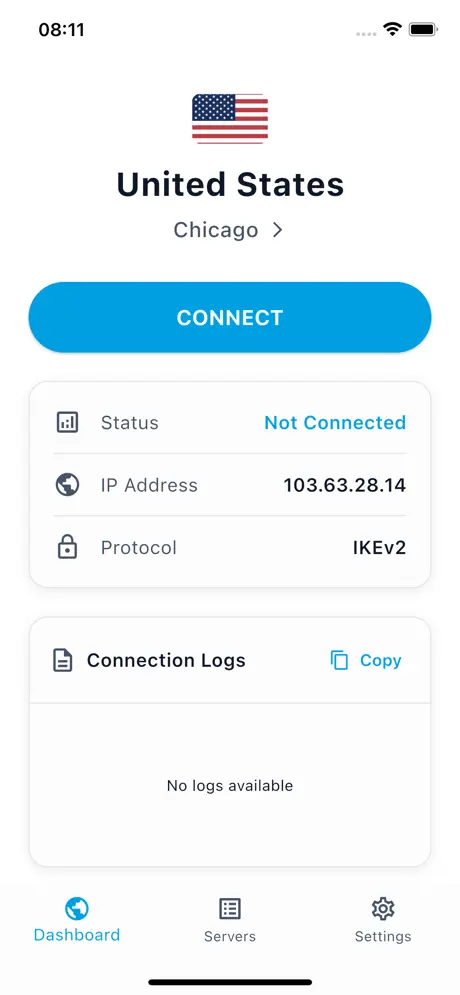
Connect
Tap Connect. The first time, iOS asks for permission to add a VPN configuration; tap Allow and confirm with Face ID or your passcode.
Pick a location (optional)
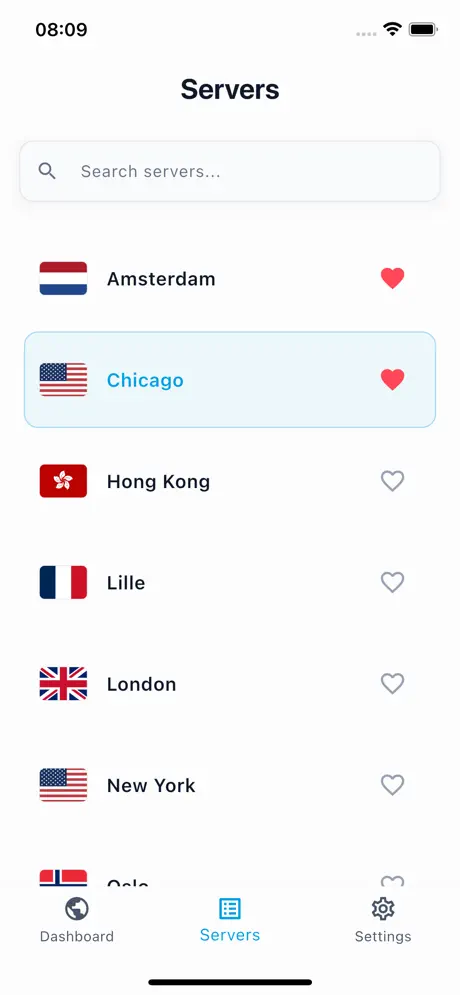
Open the Servers tab to choose a specific country, or mark favourites for one-tap access later.
You never have to choose a protocol. Baron Pathfinder tests VPNBaron’s protocols (VLESS Reality, Hysteria2, IKEv2) on your current network and connects through the one that works best. On hotel, campus or mobile networks that block ordinary VPNs, it falls back automatically to the stealth protocols, whose traffic looks like regular HTTPS.
Seamless network switching
Moving between Wi-Fi and mobile data? The tunnel re-establishes automatically, so the drop is invisible.
Alternative Setup Methods