

v2rayNG Subscription Link Setup (VLESS Reality and Hysteria2 on Android)
v2rayNG is a free Android app for VLESS Reality and Hysteria2, the stealth protocols VPNBaron uses on networks that block ordinary VPNs. This guide adds your VPNBaron subscription link to v2rayNG, so you get every VPNBaron server in one step and new ones automatically when you update.
Before you start
- An Android phone or tablet.
- An active VPNBaron plan.
- Your Stealth subscription link: in your VPNBaron account, open Stealth Mode and copy it. Keep it private; anyone who has it can use your VPN.
v2rayNG isn’t on Google Play. Its official download is the project’s GitHub page, below.
1. Download v2rayNG
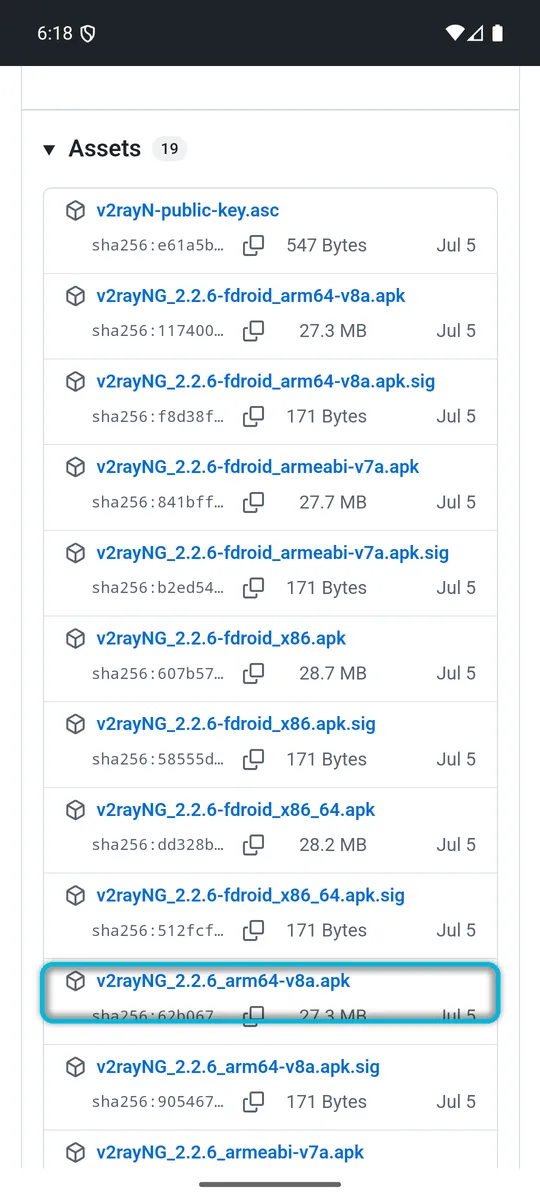
On your phone, open github.com/2dust/v2rayNG/releases/latest and scroll down to Assets. Download the file named v2rayNG_ followed by the version and arm64-v8a.apk, without “fdroid” or “.sig”. That’s the right one for almost every phone from the last several years; only much older phones need armeabi-v7a.
2. Install it
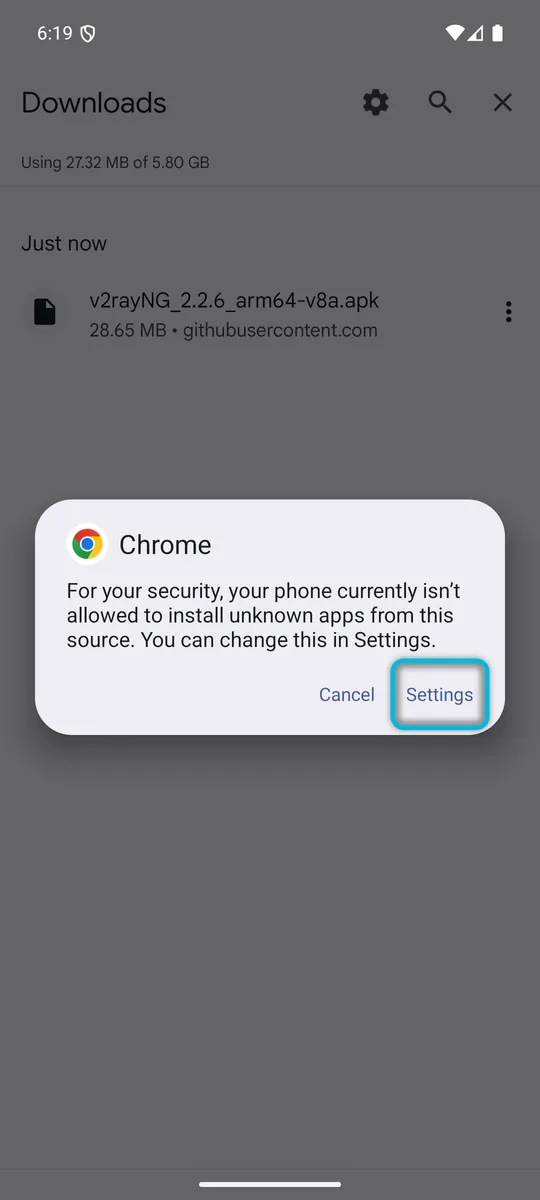
Open the downloaded file, for example from your browser’s Downloads. The first time, Android blocks it: “For your security, your phone currently isn’t allowed to install unknown apps from this source”. Tap Settings.
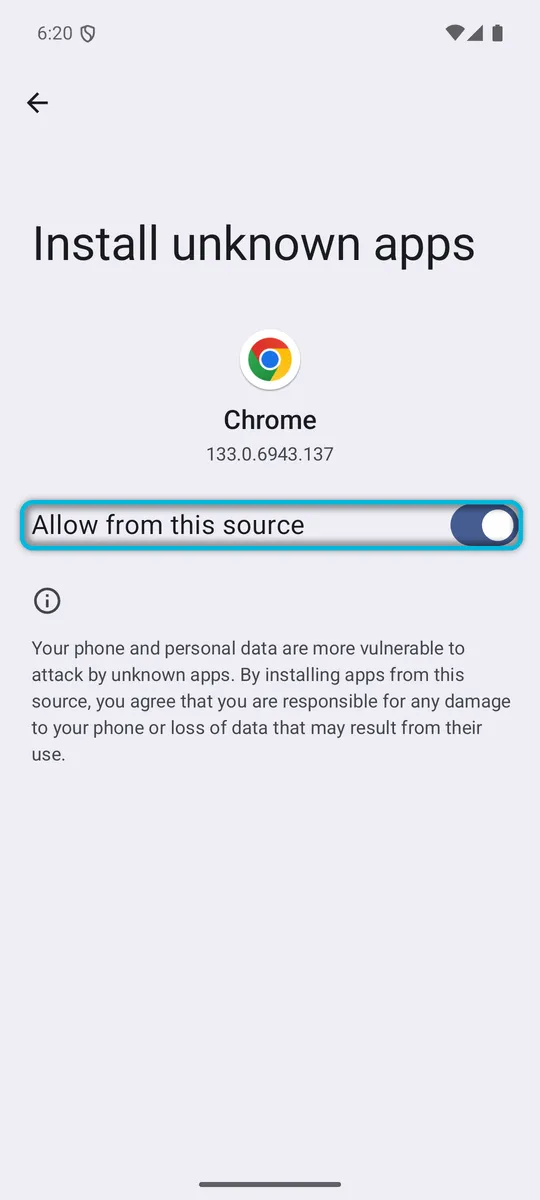
Turn on Allow from this source, then go back.
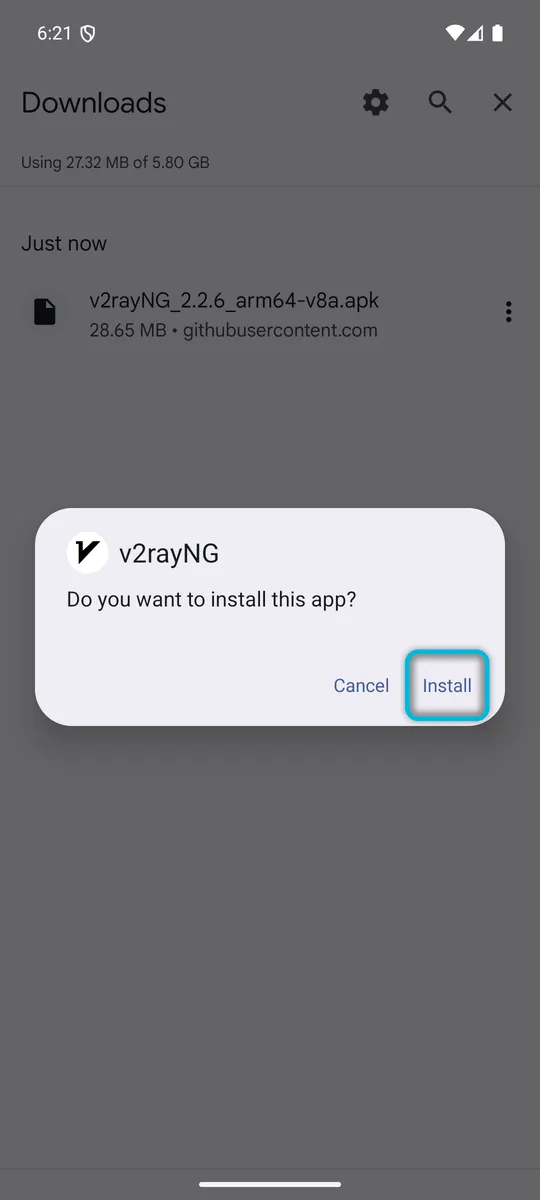
If you land back in your Downloads, tap the file again. Then tap Install, and Open when it’s done. Allow notifications when v2rayNG asks; it shows the connection status there.
3. Add your subscription link
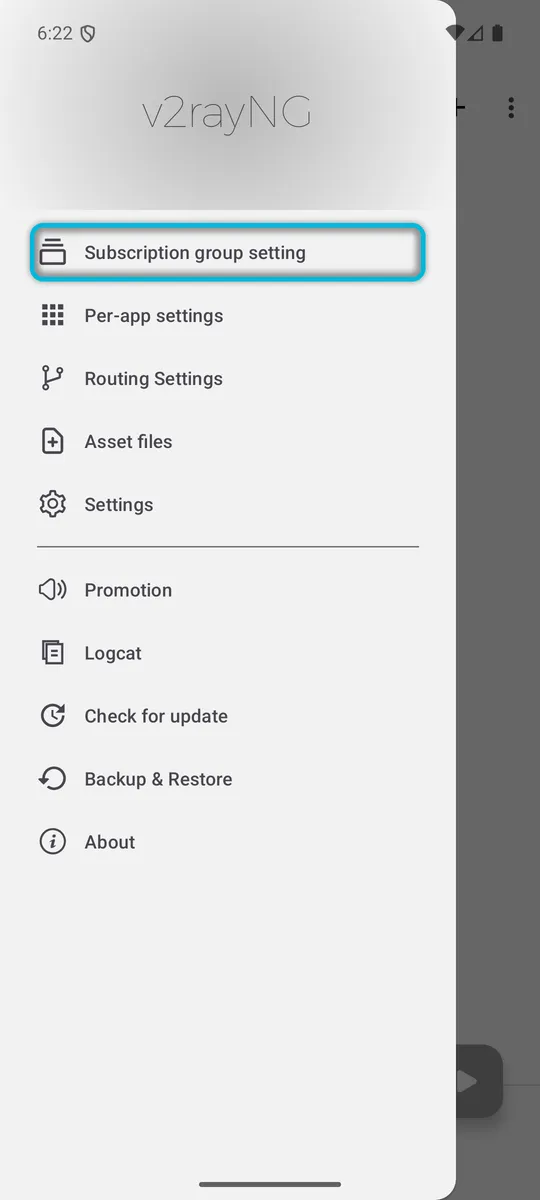
Tap the menu (☰) at the top left and choose Subscription group setting.
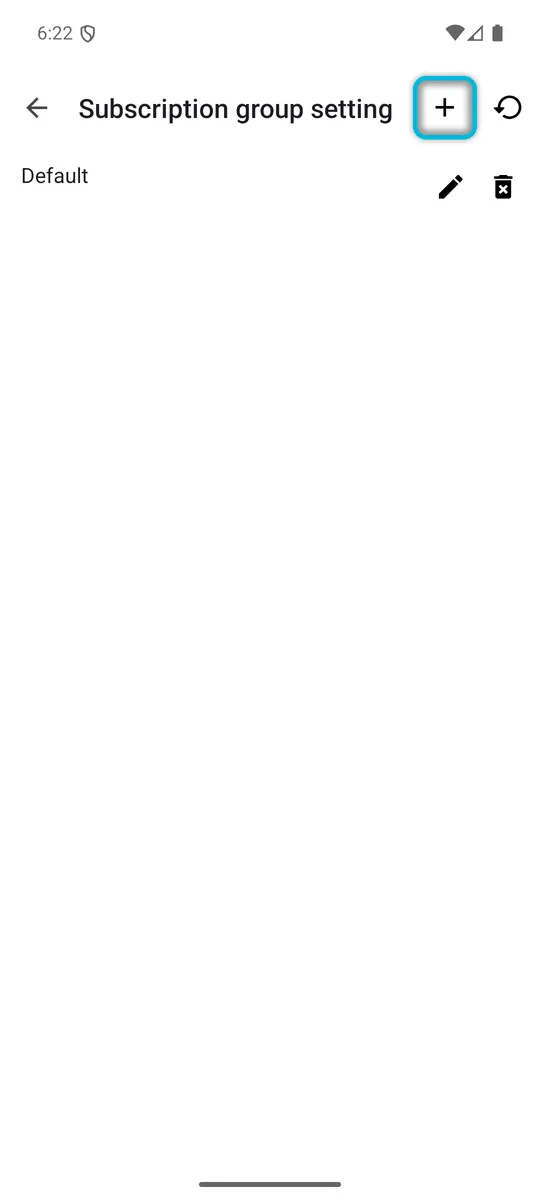
Tap +.
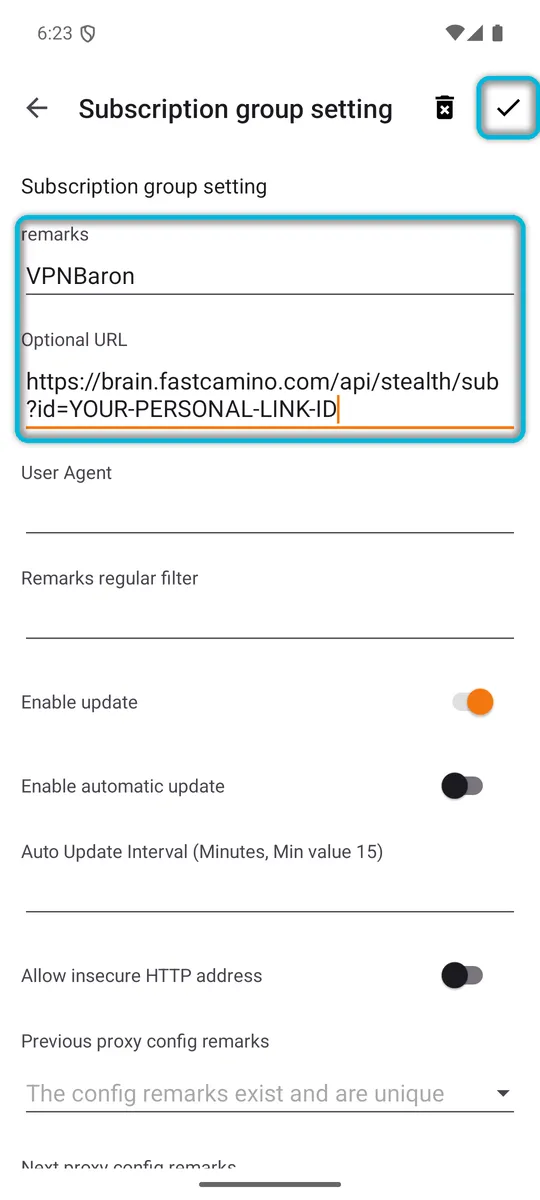
Enter VPNBaron in remarks and paste your link into Optional URL. Leave the other settings as they are; if you want new locations to appear on their own, also turn on Enable automatic update. Tap ✓ at the top right to save.
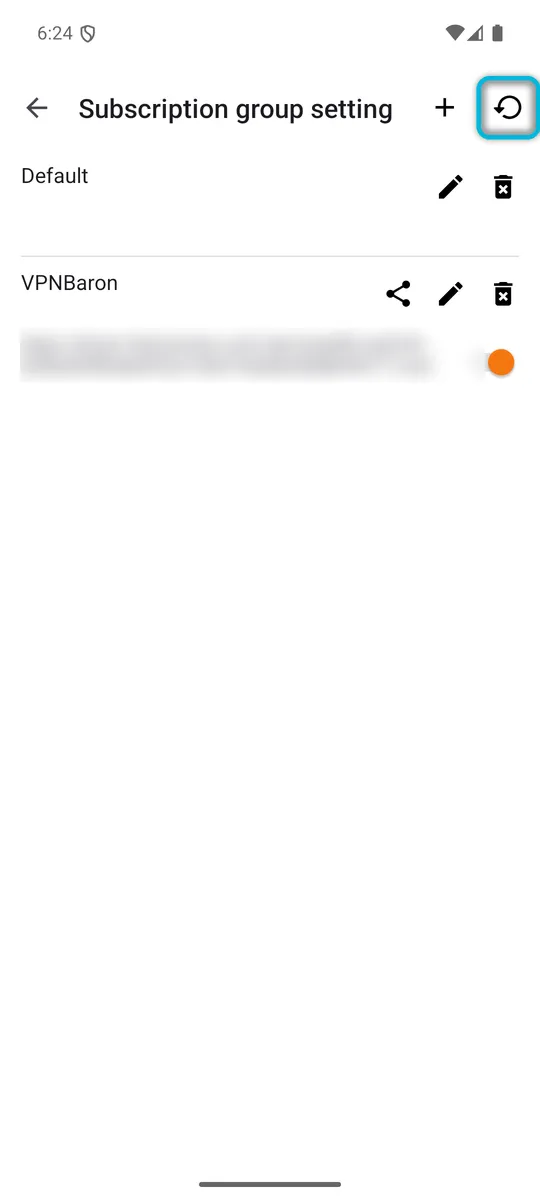
4. Update the subscription
On the same page, tap the update icon at the top right. This downloads the server list from your link.
Go back to the main screen. A VPNBaron tab now shows how many servers it has; tap it.
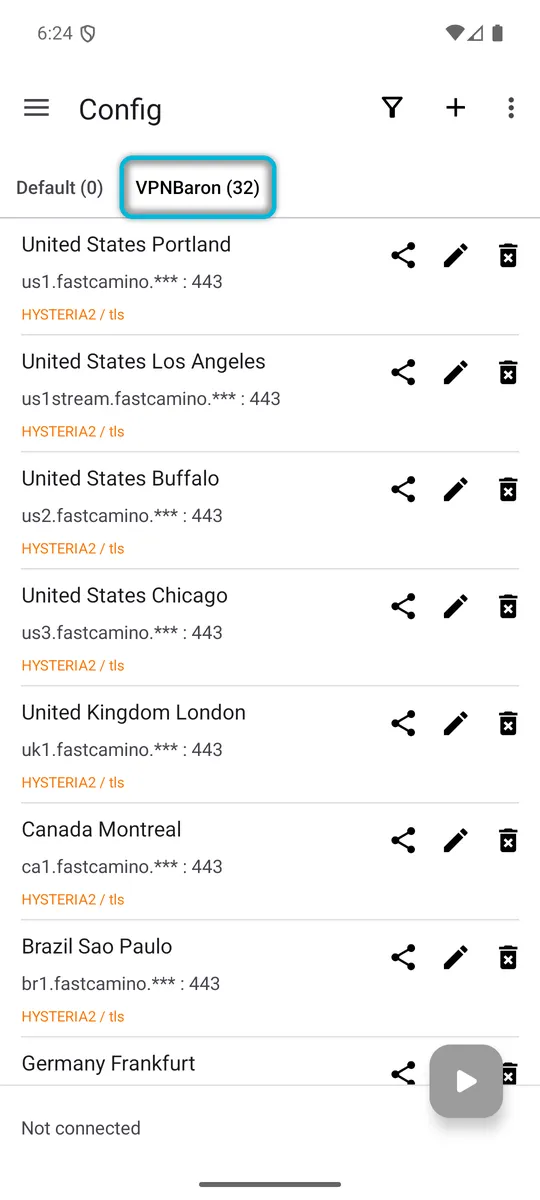
Each location is listed three times. Entries marked (Reality) show VLESS / reality underneath, entries marked (Trojan) are our legacy Trojan servers, and the others show HYSTERIA2 / tls.
5. Find the fastest server
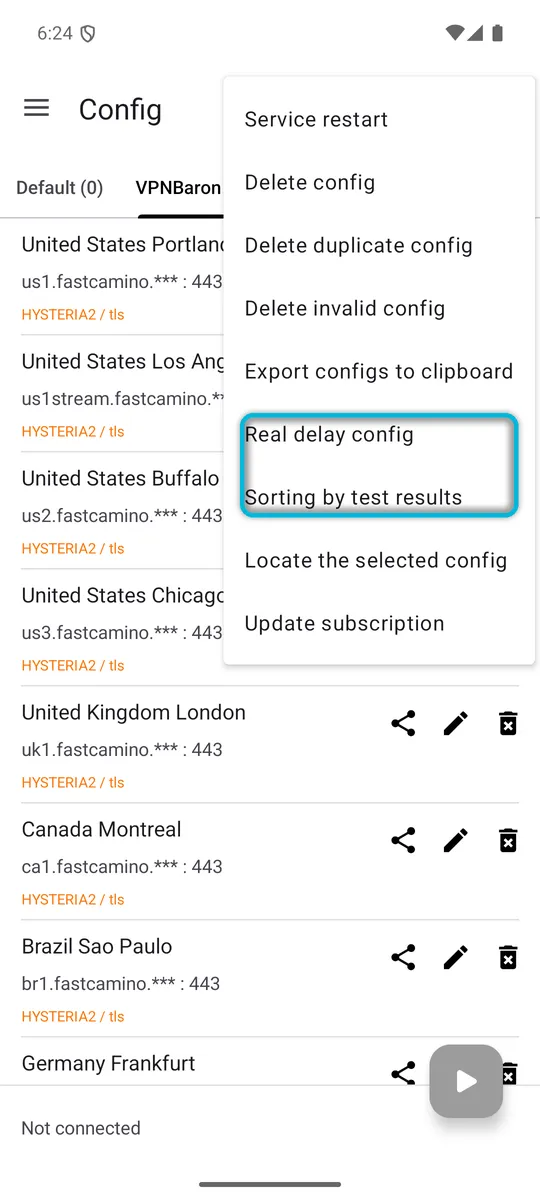
Tap ⋮ at the top right and choose Real delay config. v2rayNG tests every server and shows its response time in milliseconds. Then tap ⋮ again and choose Sorting by test results to put the fastest at the top.
6. Connect
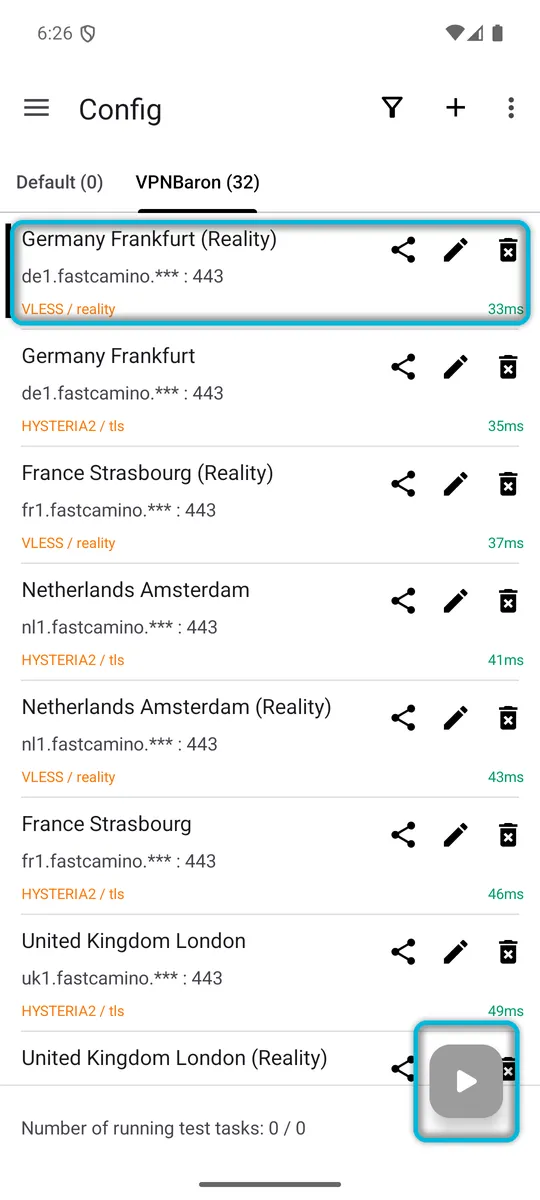
Tap the server you want; a bar on its left marks it as selected. Then tap the round play button at the bottom right.
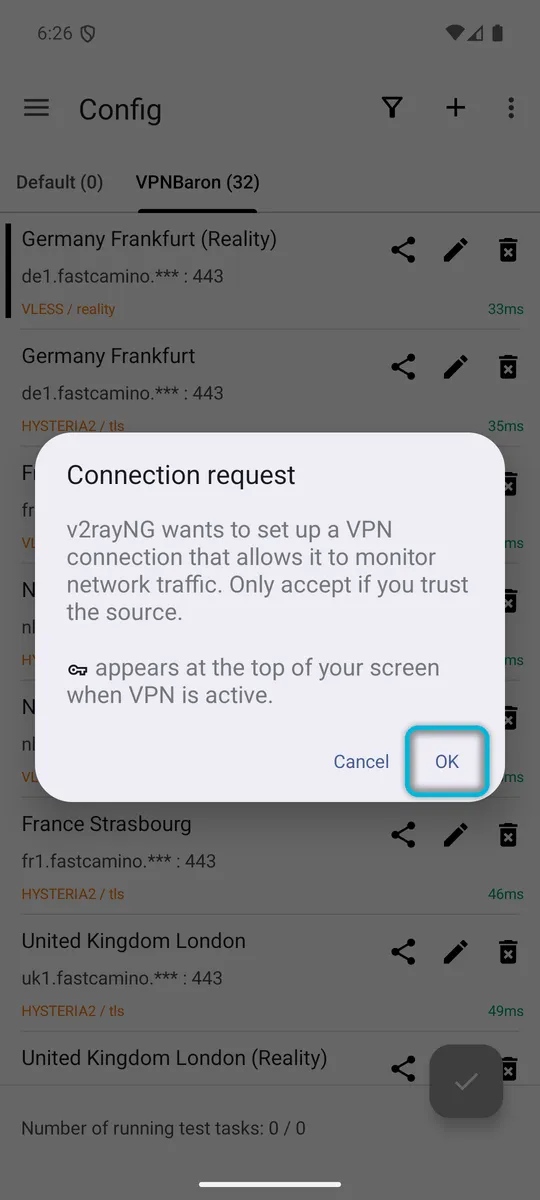
The first time, Android asks you to allow the VPN. Tap OK.
7. Check the connection
The bar at the bottom now says “Connected, tap to check connection”. Tap it: it shows how long the check took and the address websites now see.
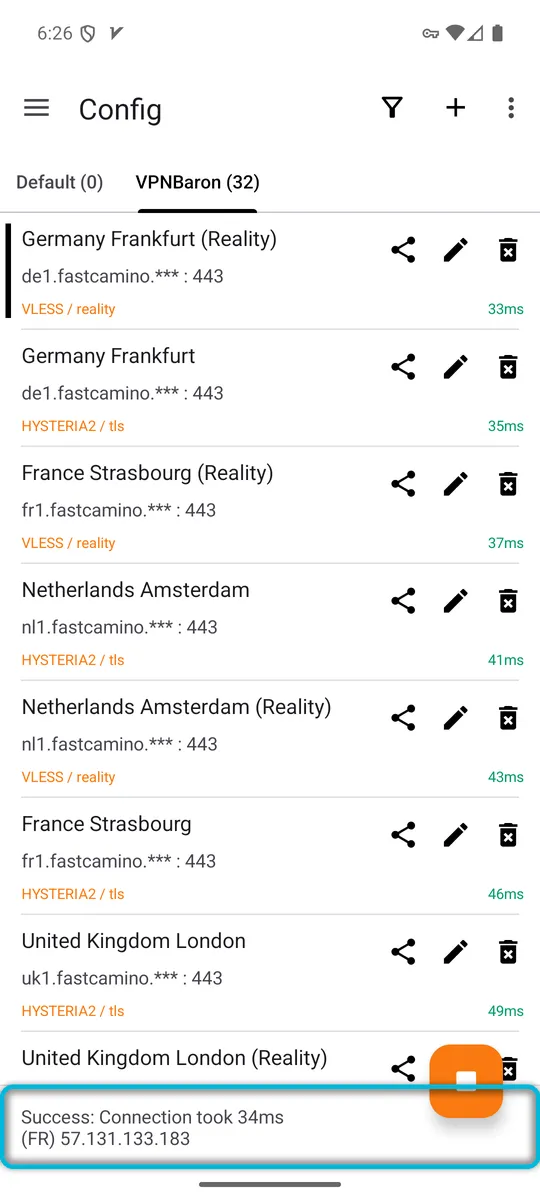
The country code next to the address comes from where the server’s address is registered, so it may not match the city you chose. To disconnect, tap the round button again.
Which should I pick, VLESS Reality or Hysteria2?
Start with a (Reality) server: VLESS Reality looks like ordinary secure web traffic on port 443 and gets through most filtering. Hysteria2 runs over UDP and can be faster on long-distance connections, but some networks block UDP. If one doesn’t connect, try the other for the same location. The (Trojan) entries are a legacy option for older apps and easier to detect, so use them only if neither of the others connects.
Troubleshooting
The VPNBaron tab shows 0 servers after updating. Check that you pasted the whole link, then copy a fresh one from Stealth Mode and update again. Also check that your plan is active.
The play button connects, but nothing loads. Run Real delay config and pick a server that shows a normal response time, preferably a (Reality) entry.
New locations are missing. Tap ⋮ > Update subscription on the main screen.
Seeing an error message? v2rayNG errors and fixes covers each one, with screenshots.
Related guides
- V2Box on iPhone, Mac and Android, the client we recommend on Apple devices.
- Hiddify on Windows and Linux or on Android TV.
- Hysteria2 vs VLESS Reality: which one to use, and when.
Need help?
Contact support with your phone model, v2rayNG version, the server you picked and the exact message. Hide your subscription link.