

OpenVPN on Ubuntu with Settings
Ubuntu can connect to VPNBaron with OpenVPN from its own Settings, with nothing to install. You import a config file once, then switch the VPN on and off from the top bar. These steps are for Ubuntu 24.04 and newer with the standard desktop; other distributions with the GNOME desktop look the same.
Before you start
- Ubuntu 24.04 or newer.
- A VPNBaron account with an active plan.
- Your VPN username and password, at the top of the OpenVPN page of your account. They’re separate from your website login.
1. Download a config file
Log in at vpnbaron.com and open the OpenVPN page. Each location has two downloads: UDP (faster, the usual choice) and TCP (for networks that block UDP). Download the one you want; it lands in your Downloads folder.
2. Add the VPN in Settings
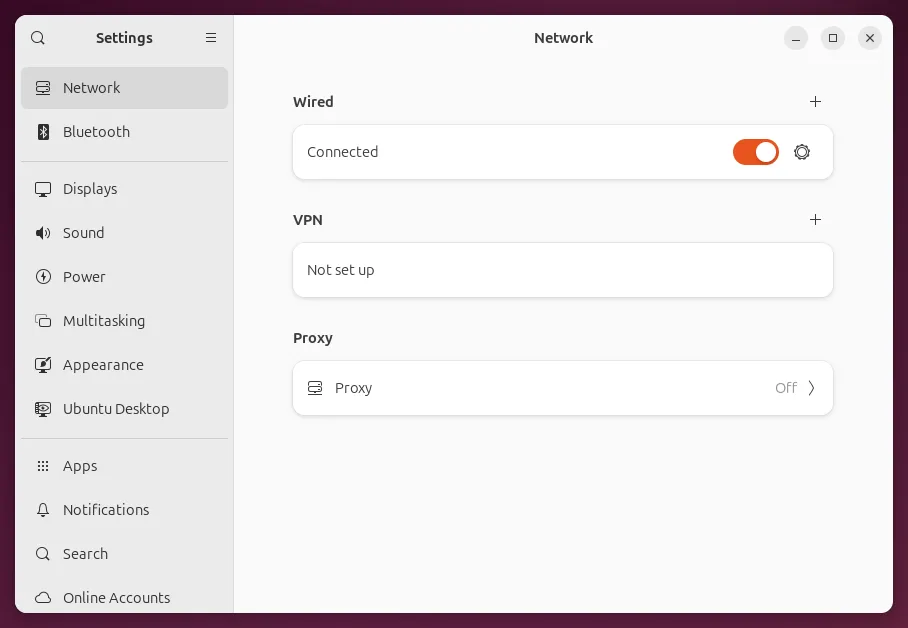
Open Settings and go to Network. Next to VPN, select +.
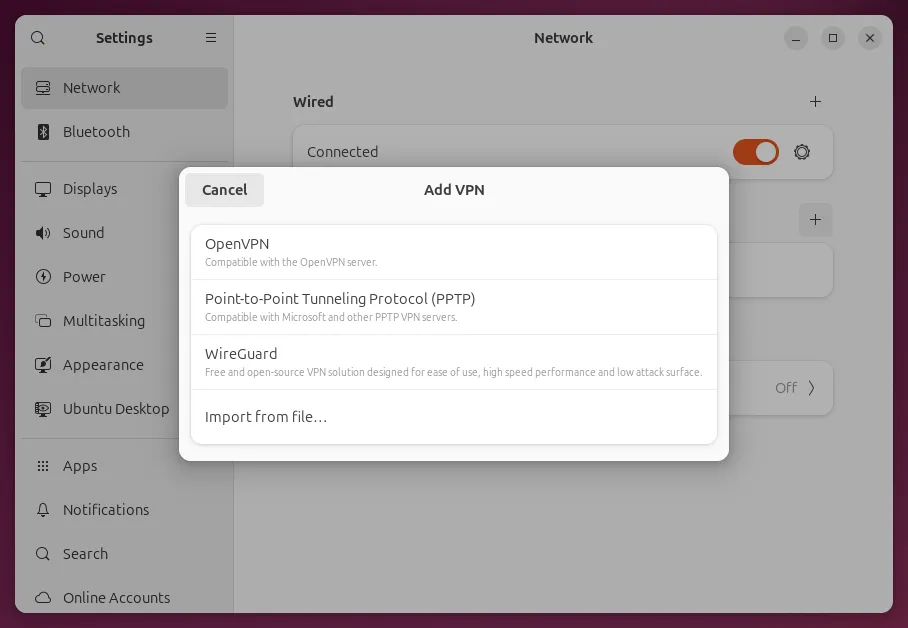
Select Import from file….
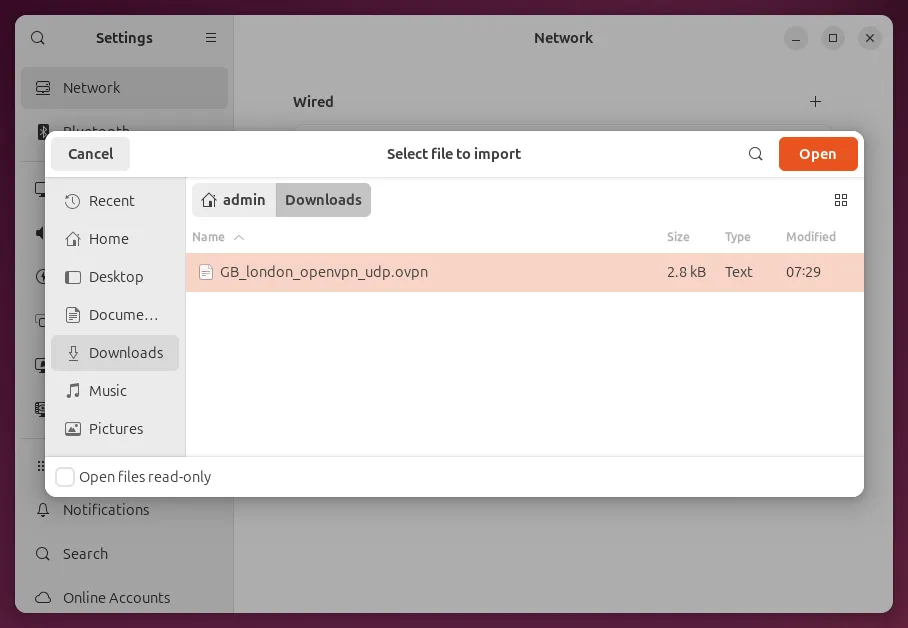
Choose the file you downloaded and select Open.
3. Enter your VPN login
Open the Identity tab. The server address and certificate are already filled in from the file. Enter your VPN username and password from the OpenVPN page, then select Add.
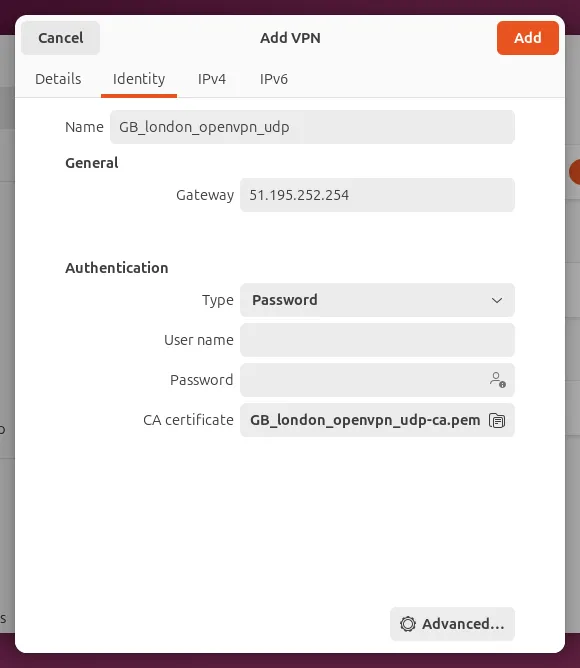
The person icon in the password box sets where the password is kept: for your account only (the default) or for every account on the computer.
4. Connect
Switch the VPN on. It connects within a few seconds.
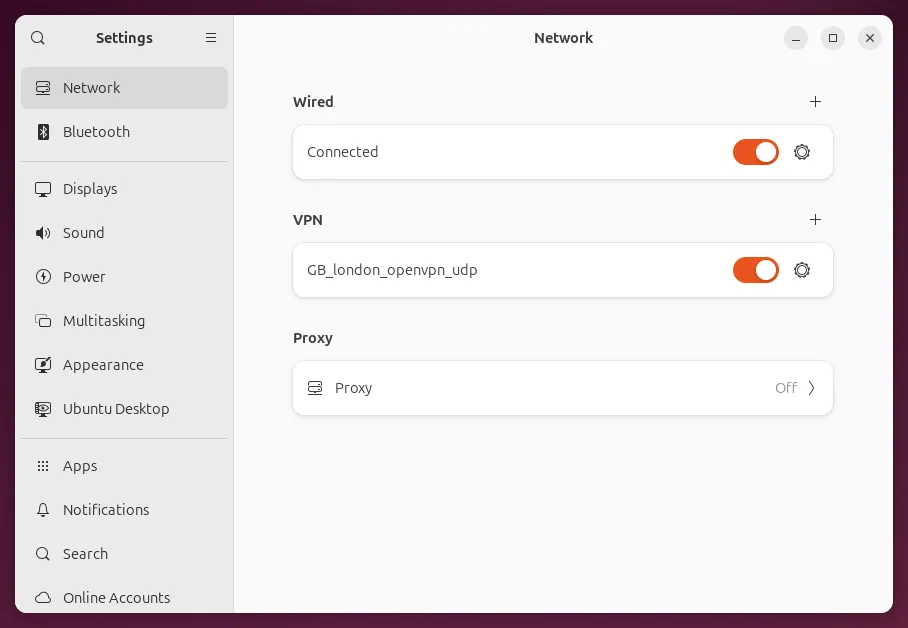
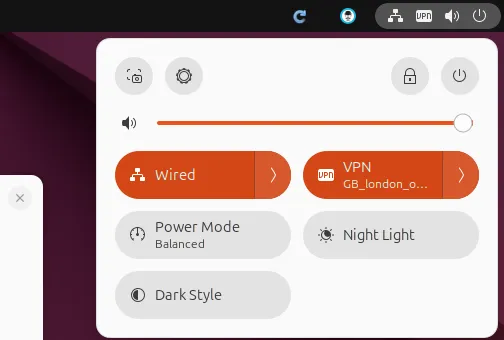
A VPN icon appears in the top bar. From now on you can switch the VPN on and off from the menu in the top right, without opening Settings.
To check, open api.ipify.org in your browser: it shows the VPN server’s address instead of yours.
More locations
Repeat steps 1 to 3 for each location you want. Each one becomes its own VPN in Settings and in the top-right menu; switch on the one you need.
If it doesn’t connect
- It switches itself off after a moment: check the username and password. They’re the VPN credentials from the OpenVPN page, not your website login.
- It works at home but not on some networks (hotels, offices, some countries): the network is blocking OpenVPN. Try the TCP config of the same location, or use the VPNBaron app, whose stealth protocols get through. More in OpenVPN blocked? Why it happens and what actually works.
- The log: run
sudo journalctl -t nm-openvpn --since "10 minutes ago"in a terminal. “Initialization Sequence Completed” means the tunnel came up.
Need help?
Contact support with your Ubuntu version, the config file’s name and the last lines of the log above.