

v2rayNG Not Working or Not Connecting? Fixes for Common Errors
This page covers the v2rayNG problems we see most often, with the exact messages v2rayNG and Android show. It’s written for v2rayNG 2 on Android with a VPNBaron Stealth subscription. If you haven’t set v2rayNG up yet, start with our v2rayNG setup guide.
”App not installed as app isn’t compatible with your phone”
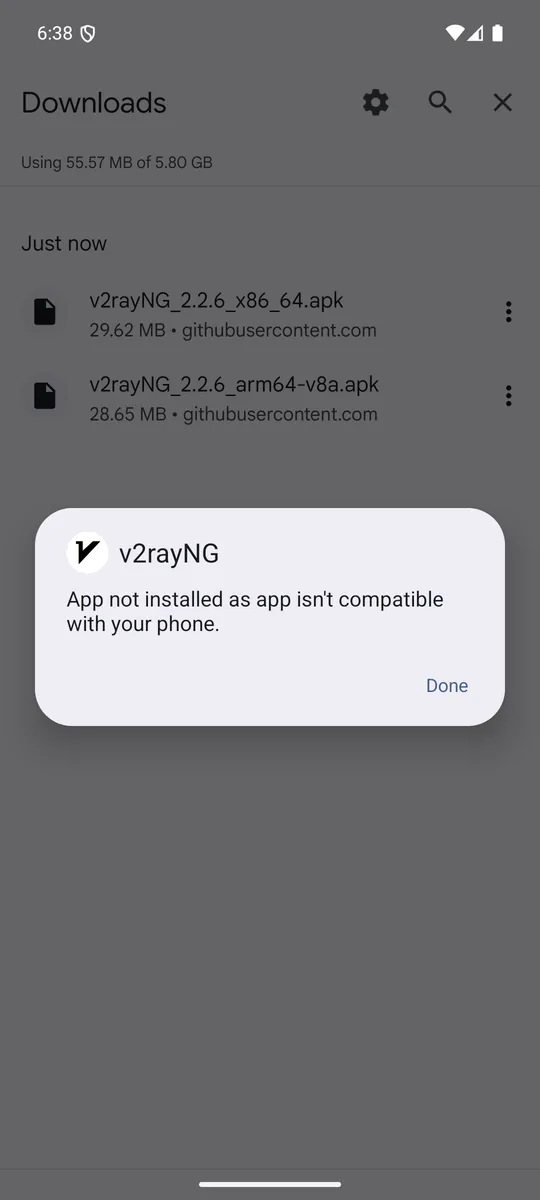
You downloaded a version of v2rayNG built for a different kind of processor. On the GitHub releases page, choose the file ending in arm64-v8a.apk. It fits almost every phone from the last several years. Only much older phones need armeabi-v7a. The x86 and x86_64 files are for computers and emulators, not phones.
Two v2rayNG apps, or your servers seem to have disappeared
The releases page has two builds of each version: a regular one and one marked fdroid. The fdroid build installs as a separate app called v2rayNG (F-Droid), next to the regular one, and each has its own servers and settings. If you added your subscription in one and then open the other, the list is empty.
Keep one and uninstall the other. If you keep the one without your subscription, add your link again.
The subscription won’t update, or the VPNBaron tab shows 0 servers
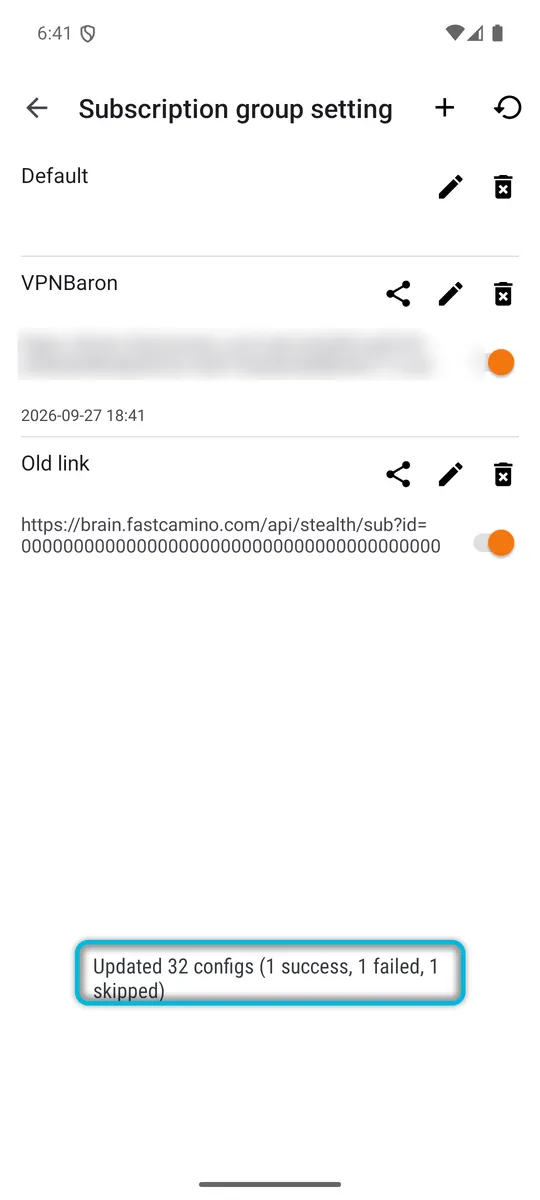
After an update, v2rayNG shows how many subscriptions succeeded and failed. The Default group is always “skipped”; that’s normal. If your subscription is among the “failed”, v2rayNG couldn’t download its server list.
Open Subscription group setting, tap the pencil next to your subscription and check that Optional URL holds your complete link. If in doubt, copy a fresh link from Stealth Mode in your VPNBaron account, paste it in, save, and update again. If it still fails, check that your plan is active.
”-1ms” in the delay test
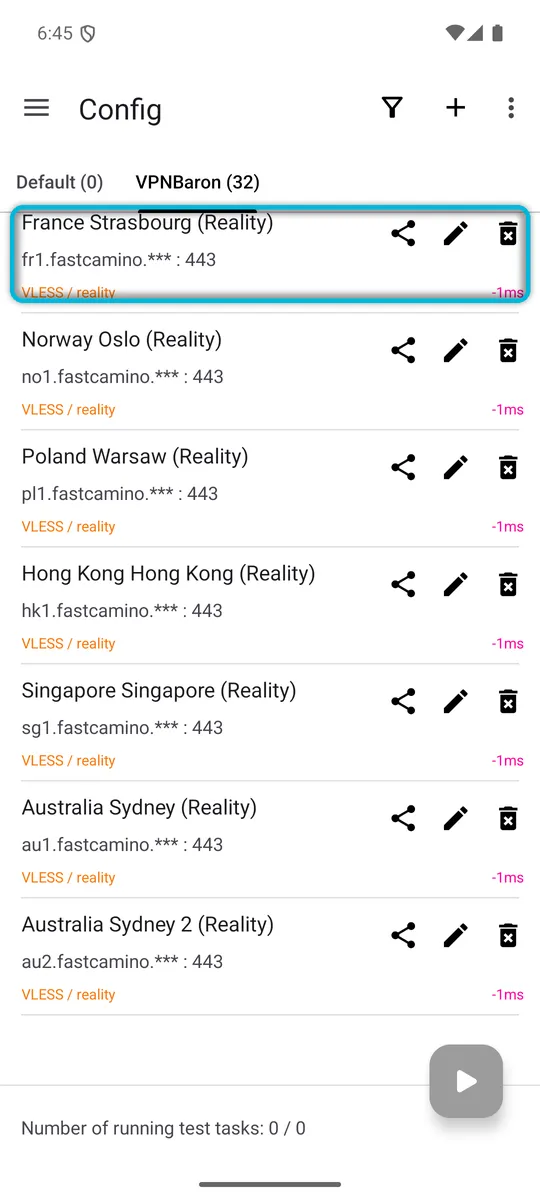
-1ms means the server didn’t answer the test. If only some servers show it, pick one that shows a normal time.
If every server shows -1ms:
- Check that your phone’s date is right. We tested this: with the date set two years back, every VPNBaron server failed. With a date a few days off, they all still worked. Set the date and time to automatic in Android’s Settings.
- Check that the phone is online without v2rayNG, for example by opening a website with v2rayNG disconnected.
- Update your subscription (⋮ > Update subscription) and test again.
”Fail to detect internet connection: io: read/write on closed pipe”
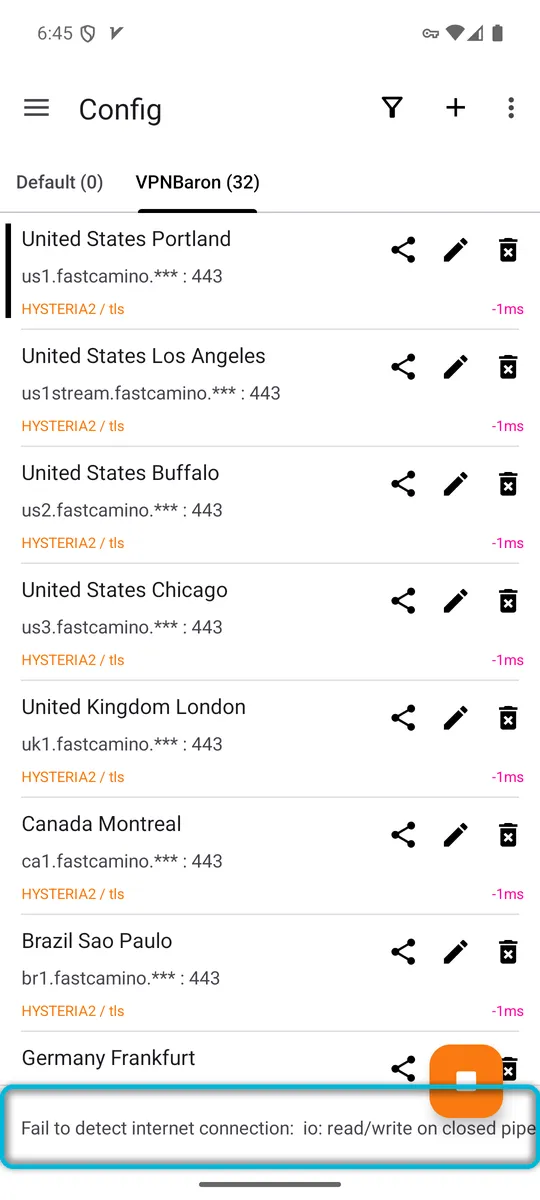
v2rayNG started the VPN, but nothing gets through the server you selected. Run the delay test (⋮ > Real delay config) and look at the server you’re using:
- If it shows -1ms, disconnect, pick a server that shows a normal time, and connect again. Prefer an entry marked (Reality).
- If every server shows -1ms, work through the steps in the section above. The date is the first thing to check: we reproduced this exact message with the phone’s date two years off.
Still not working?
Contact VPNBaron support with a screenshot of the message and the server you picked. We’ll take it from there.
Related guides
- Set up v2rayNG on Android.
- Hysteria2 vs VLESS Reality: which one to use, and when.