

Netflix and the open internet, from China. One tap.
VPNBaron keeps connecting in China because its connection looks like an ordinary visit to a website. Pick a US, UK or European exit and Netflix shows that library, at full speed, on your own account.
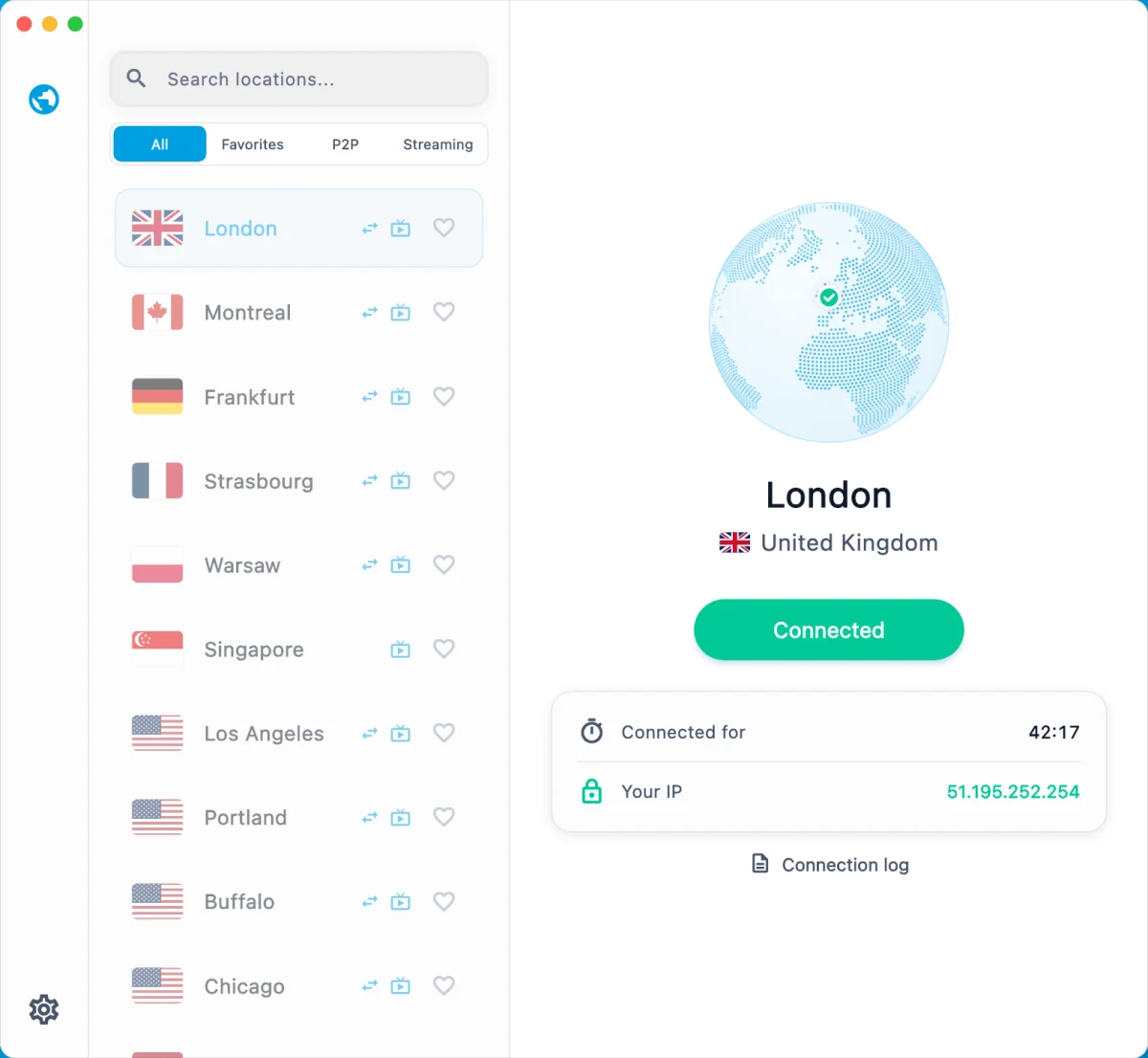
Why most VPNs stop working in China
China's network filtering, often called the Great Firewall, does not just block websites. It inspects traffic and learns what standard VPN connections look like, so a VPN that works on day one can slow to a crawl or stop connecting on day two.
VPNBaron takes a different approach. Its stealth connections run on port 443 and look exactly like an ordinary encrypted visit to a website, the kind of traffic every bank, shop and app depends on. There is nothing VPN-shaped to spot.
And when a network tightens, you do not have to fiddle with settings: the app's Pathfinder tests the available routes and moves you to the one that works.
Curious how it stays invisible? How stealth works
Watch Netflix from China: pick your library
Netflix does not operate in mainland China. Connect through a location where it does, sign in with your own account, and Netflix shows that country's library. Every location works with streaming.
Los Angeles
US library
Shortest route from China to the US
Portland
US library
West Coast alternative
London
UK library
British shows and films
Frankfurt
German & EU library
Europe, close to home
Amsterdam
Dutch & EU library
Another European exit
Hong Kong
Hong Kong library
Fastest from the mainland
Tokyo
Japanese library
Anime and Japanese dramas, low latency
Seoul
Korean library
K-dramas, a short hop away
Singapore
Singapore library
Low latency across Asia
Sydney
Australian library
Aussie catalog
Streaming services change how they treat VPNs from time to time. If a title does not play on one location, switch to another: every plan includes them all. Streaming setup guide
Every way we get you online from China
Stealth protocols, classic VPN protocols, apps for every device and locations across Asia, the US and Europe, all on one plan. When one route is blocked, another gets through.
Protocols
- VLESS Reality
Looks like a visit to a real website. Our most reliable way in from China.
- Hysteria2
Keeps its speed on weak, crowded networks like hotel Wi-Fi.
- Trojan
For Clash apps. Our legacy protocol, and it still gets through on many networks.
- OpenVPN (TCP and UDP)
The classic VPN. Often blocked in China, but worth a try on business and hotel networks.
- IKEv2
Built into iPhone, Mac, Windows and Android, no app needed. Often blocked in China, still worth a try.
Apps
- VPNBaron desktop appWindows, Mac
- V2BoxiPhone, iPad, Mac, Android
- HiddifyWindows, Mac, Android, Linux
- ShadowrocketiPhone, iPad
- v2rayNGAndroid
- Clash Verge Rev, ClashX, Clash MetaWindows, Mac, Android
- Built-in VPN settingsIKEv2 on any device
Step-by-step setup for each device is below.
Backups when it gets tough
- Pathfinder in the desktop app switches protocol by itself when one is slowed down.
- Your stealth link keeps working without our website once it is imported.
- If the normal sign-in is blocked, the app signs you in with a one-time email code.
- Locations across Asia, the US and Europe: when one is slow, pick another.
- Different networks block differently: switch between Wi-Fi and mobile data.
Before you leave for China
Ten minutes at home saves a lot of trouble on the other side.
- 1
Make sure your plan is active and sign in at vpnbaron.com.
- 2
Copy your personal stealth link from Hysteria2 · VLESS in your account, and your Clash link from Trojan (Clash) if you use Clash. Keep a copy offline: you can re-import it without reaching our website.
- 3
Install the apps on every device you are bringing, laptop and phone. App stores in China do not list VPN apps, and Google Play does not work there.
- 4
Import your link, connect once on each device, and check that Netflix plays on the exit you like.
- 5
The day before you fly, update the apps and refresh the subscription so you have the latest servers.
Crossing over from Hong Kong? The mainland checklist
How to connect from China, device by device
Pick your device. Every option uses the same VPNBaron account and works on every location.
Start with the VPNBaron app and keep Hiddify as a backup. Clash users can keep their app with Trojan.
VPNBaron app
Recommended- 1Before you leave, download the app from vpnbaron.com/download/windows and install it.
- 2Sign in with your VPNBaron account and connect once to check it works.
- 3In China, open the app and click Connect. Pathfinder tests the stealth routes and connects with the one that works.
- 4Pick a location: a nearby one in East or Southeast Asia for speed, one on the US West Coast for the US Netflix library.
- 5If sign-in does not get through, the app can sign you in with a one-time code sent to your email.
Hiddify with your stealth link
Backup- 1Before you leave, install Hiddify for Windows.
- 2In your VPNBaron account, open Hysteria2 · VLESS and copy your personal stealth link.
- 3In Hiddify, add a new profile and paste the link.
- 4Pick a server marked (Reality) and connect. Keep the Hysteria2 servers for when you want more speed.
Clash with Trojan
Legacy- 1Install Clash Verge Rev or Clash for Windows.
- 2In your account, open Trojan (Clash) and click Open in Clash, or paste the link under Profiles.
- 3Pick a location in the VPNBaron group and turn on System Proxy, or TUN mode for every app.
- 4If Trojan gets slowed down, switch to Hiddify with VLESS Reality.
The VPNBaron app, or V2Box with your stealth link. Both are quick to set up before you travel.
VPNBaron app
Recommended- 1Before you leave, download the app from vpnbaron.com/download/macos and install it.
- 2Sign in and connect once to check it works.
- 3In China, open the app and click Connect. Pathfinder picks the route that works.
- 4Pick a nearby location in East or Southeast Asia for speed, one on the US West Coast for US Netflix.
- 5If sign-in does not get through, the app can sign you in with a one-time code sent to your email.
V2Box with your stealth link
Backup- 1Before you leave, install V2Box from the Mac App Store. VPN apps are not in the China App Store, so use an Apple ID from outside mainland China.
- 2In your VPNBaron account, open Hysteria2 · VLESS and copy your personal stealth link.
- 3In V2Box, add a subscription and paste the link.
- 4Pick a server marked (Reality), connect, and allow the VPN configuration when macOS asks. Hiddify for Mac works the same way.
ClashX or Clash Verge Rev with Trojan
Legacy- 1Install ClashX or Clash Verge Rev.
- 2In your account, open Trojan (Clash) and click Open in Clash, or add the link as a profile.
- 3Pick a location and turn on the system proxy.
- 4If Trojan gets slowed down, switch to V2Box with VLESS Reality.
Use V2Box with your stealth link. Install it before you travel: VPN apps are not in the China App Store.
V2Box
Recommended, free- 1Before you leave, install V2Box from the App Store, with an Apple ID from outside mainland China.
- 2In your VPNBaron account, open Hysteria2 · VLESS and copy your personal stealth link.
- 3In V2Box, add a subscription and paste the link.
- 4Pick a server marked (Reality), tap Connect and allow the VPN configuration.
- 5In China, switch servers inside V2Box if one slows down: Reality first, Hysteria2 for speed.
Shadowrocket
Paid alternative- 1Install Shadowrocket before you leave.
- 2Add your stealth link as a subscription.
- 3Pick a (Reality) server and turn the connection on.
Use Hiddify or v2rayNG with your stealth link. Install before you travel: Google Play does not work in China.
Hiddify
Recommended- 1Before you leave, install Hiddify from Google Play.
- 2In your VPNBaron account, open Hysteria2 · VLESS and copy your personal stealth link.
- 3In Hiddify, tap New profile and paste the link from the clipboard.
- 4Pick a server marked (Reality), connect, and allow the VPN request.
v2rayNG
Alternative- 1Install v2rayNG before you leave.
- 2Import your stealth link as a subscription and update it.
- 3Select a (Reality) server and connect.
Which server to pick in China
- Servers marked (Reality) are the most reliable in China. Start there.
- Servers without a tag are Hysteria2: faster when they connect, especially on weak Wi-Fi.
- For speed, pick a nearby location in East or Southeast Asia.
- For the US Netflix library, pick a location on the US West Coast. For the UK library, a UK one.
If it stops connecting
- 1Switch to another (Reality) server, or to another location.
- 2Try the Hysteria2 server of the same location, or the other way round.
- 3Switch between Wi-Fi and mobile data: blocks differ between networks.
- 4In the VPNBaron desktop app, disconnect and connect again. Pathfinder retries every route.
- 5While any server works, refresh the subscription in V2Box or Hiddify so new servers arrive.
- 6Still stuck? From any working connection, open a support ticket at vpnbaron.com and tell us your network (hotel, China Mobile, China Unicom or China Telecom) and the servers you tried.
What you get in China
Looks like HTTPS
To the network it is a visit to a website on port 443. Blocking it means blocking the encrypted web.
The desktop app picks the route
Pathfinder tests the routes on the network you are on and connects with the one that works.
Fast on hotel Wi-Fi
One of our stealth connections keeps its speed on crowded, lossy networks, so video keeps playing.
Nobody sees what you do
Not the sites, not the DNS, not that it is a VPN. We keep no browsing logs either.
One plan. Every location, Netflix included.
Unlimited data, every protocol, 7-day money-back. The price you sign up at is the price you keep.
1 Month Plan
Billed monthly· Most flexible
- 3 Simultaneous Devices
- Unlocks streaming
- Anti-DPI stealth + Pathfinder
- All protocols, WireGuard included
- Unlimited Bandwidth
- Priority Support
- Instant Setup
12 Months Plan
€59.99 billed once a year(Save 62%)
- 5 Simultaneous Devices
- Unlocks streaming
- Anti-DPI stealth + Pathfinder
- All protocols, WireGuard included
- Unlimited Bandwidth
- Priority Support
- Instant Setup
6 Months Plan
€44.99 billed every 6 months(Save 42%)
- 4 Simultaneous Devices
- Unlocks streaming
- Anti-DPI stealth + Pathfinder
- All protocols, WireGuard included
- Unlimited Bandwidth
- Priority Support
- Instant Setup
Using a VPN in China: questions
Does Netflix work in China with a VPN?
Netflix does not operate in mainland China, so the app and website will not load there on their own. With VPNBaron you connect to a location where Netflix is available, in North America, Europe or elsewhere in Asia, and sign in with your own Netflix account. The library you see matches the exit you pick, and every VPNBaron location works with streaming.
Which location is best for Netflix from China?
For the US library, a location on the US West Coast: it is the shortest route from China to the US. For the fastest connection overall, a nearby location elsewhere in East or Southeast Asia, which also carries that country's library. For the UK library, a UK location; for other European libraries, one in Europe. Every plan includes every location, so you can switch any time.
Will VPNBaron work in China when other VPNs stop working?
It is built for exactly that. Standard VPN protocols are easy for China's network filtering to recognise and block. VPNBaron's stealth connections run on port 443 and look like an ordinary visit to a website, so blocking them would mean blocking the encrypted web. The VPNBaron desktop app's Pathfinder tests routes and switches automatically if one is slowed down, and if one way is blocked you still have the others: VLESS Reality, Hysteria2, Trojan, OpenVPN and IKEv2, in our desktop app or in V2Box, Hiddify, Shadowrocket, v2rayNG and Clash apps. The 7-day money-back guarantee lets you test it where you are.
Which protocol works best in China?
VLESS Reality is the most reliable in China: it borrows the secure handshake of a real website, so there is nothing VPN-like to detect. Hysteria2 is the fastest on weak or crowded networks where UDP gets through. Trojan works in Clash apps on many networks but is easier to spot. The VPNBaron desktop app chooses between them automatically. Classic OpenVPN and IKEv2 are included too, but they are usually blocked in China.
Do I need to install the VPN before I arrive in China?
Yes, do it before you travel. App stores in China do not list VPN apps, and VPN websites are often hard to reach from there. Install the VPNBaron app on your Windows or Mac laptop, and V2Box, Shadowrocket or Hiddify with your stealth link on your phone, then connect once at home so everything is ready when you land.
What if I cannot sign in from China?
If the normal sign-in does not get through, the VPNBaron desktop app can sign you in with a one-time code sent to your email. On your phone, the stealth link you imported before travelling keeps working without signing in; our docs walk through V2Box and Hiddify.
Is it legal to use a VPN in China?
China restricts VPN services that are not government-approved, and the rules can change. Many visitors, students and international businesses use VPNs there every day, but we cannot give legal advice, so check what applies to you.
Does it work on hotel Wi-Fi and Chinese mobile data?
Yes. The stealth connections are designed for crowded and filtered networks alike, and one of them keeps its speed on weak, lossy connections like busy hotel Wi-Fi. If a route is slowed down, the desktop app's Pathfinder moves you to another one; in a phone app, pick another (Reality) server.
Which devices can I use?
On laptops, the VPNBaron app for Windows and Mac, or your personal stealth link in V2Box on Mac or Hiddify on Windows. On phones and tablets, V2Box or Shadowrocket on iPhone and iPad, and Hiddify or v2rayNG on Android. Clash apps (Clash Verge, Clash for Windows, ClashX, Clash Meta) work with your Clash profile. Step-by-step setup for each device is on this page.
How much does it cost?
From €5 a month on the yearly plan, with a 7-day money-back guarantee. Every plan includes every location, every protocol and unlimited data, including streaming.
Going through Hong Kong? VPN for Hong Kong